The SignalPath
Every audio cable answers the same two questions: what is traveling through it — a continuous voltage or a stream of bits — and how many conductors carry it. Get those two, and every plug from a guitar jack to a soundbar's eARC port makes sense.
Dotted terms carry a definition — hover or tap
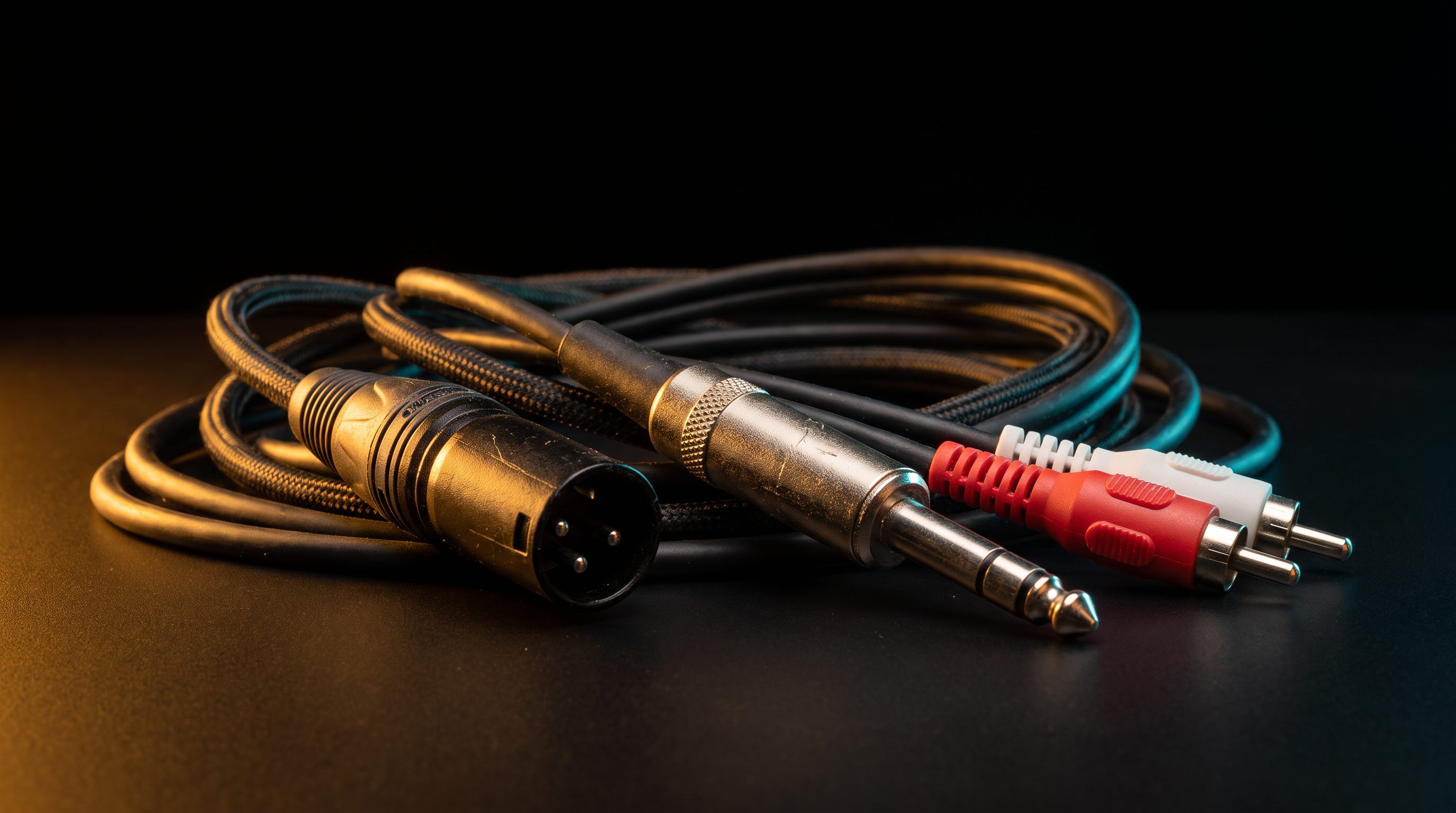
Think beyond the plug
A connector is only the visible doorway. To know whether a connection works, you also need to know what is passing through it and what the device on the other side expects.
The plug is the package shape, the signal is what is written inside, the level is how strongly it is delivered, and a converter is the person who rewrites it for the recipient.
Side by side
Eight connectors at comparable scale, ordered from simplest to widest pipe. The number under each is the count of separate electrical contacts — which is the real story: more contacts means more independent signals (or a return path for noise cancelling, or a two-way conversation).
What cable do I need?
Choose the two things you are connecting. The recommendation accounts for signal type—not just whether the plugs appear to fit.
Connection finder
Start with the devices. Then use their available ports to confirm the exact cable.
Use the phone’s headphone output, or an active USB-C/Lightning-to-3.5 mm DAC dongle. A passive USB-C adapter works only if the phone exposes analog audio.
Build a signal chain
Choose a common job to see where audio changes form, which part sets the level, and where compatibility can fail.
The mic preamp raises millivolts to line level; the ADC converts voltage into digital samples. XLR itself performs neither operation.
Advanced: what each stage can change
Gain stages change level. Converters change analog voltage to digital numbers or back. Adapters only remap compatible contacts. Codecs encode digital audio into another representation. Keeping those four jobs separate prevents most purchasing mistakes.
Analog cables
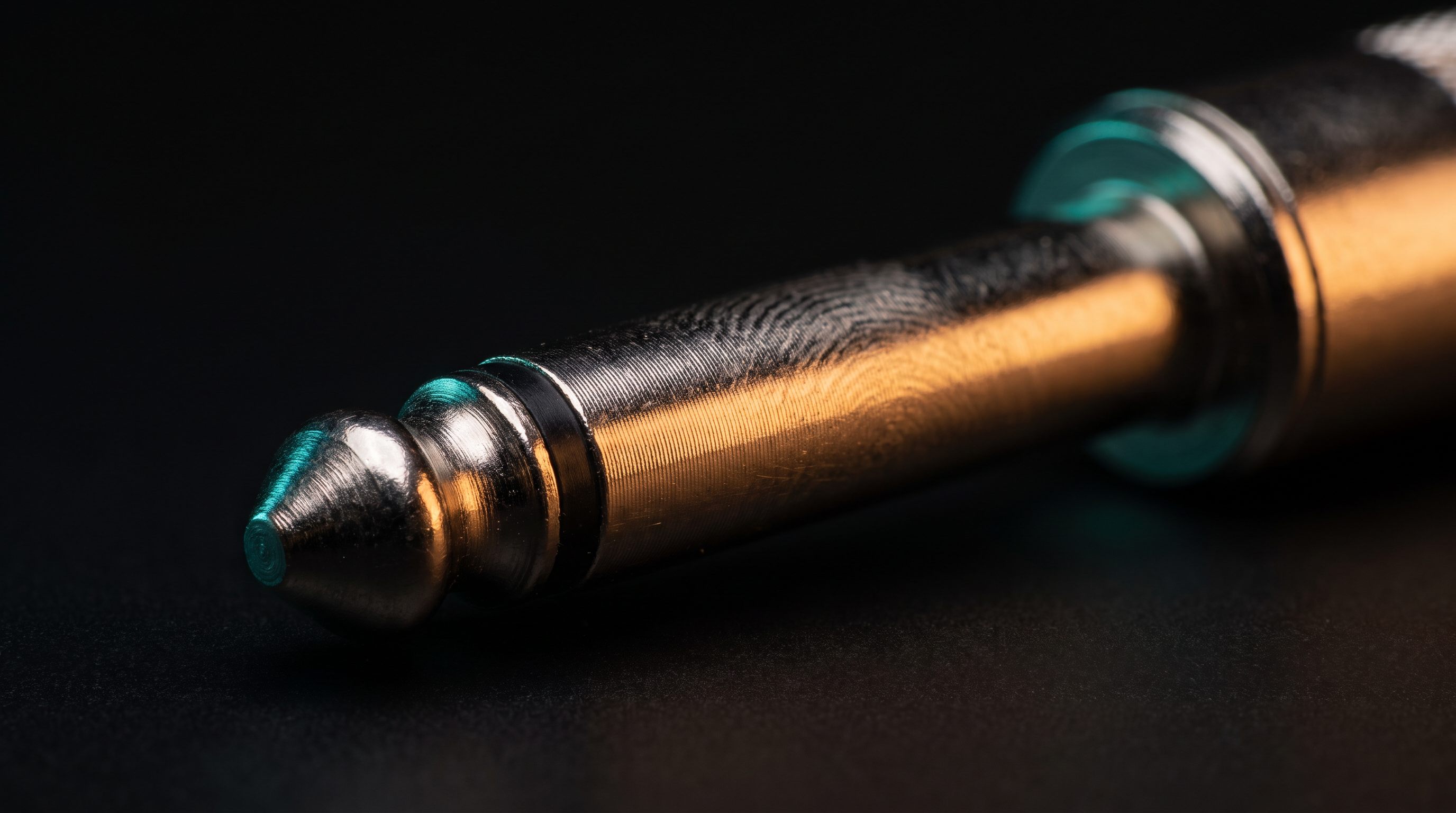
An analog cable carries a continuously changing voltage that mirrors the sound waveform. Because the signal is that electrical shape, anything the cable picks up along the way — hum from power cords, buzz from dimmers, radio interference — gets added straight into what you hear. That's why the single most important idea in analog cabling is unbalanced vs. balanced.
Imagine sending the same message on two receipts, with one printed as a photographic negative. Rain leaves the same watermarks on both. At the destination, one receipt is flipped back and the pair is combined: the opposite messages reinforce each other, while the matching watermarks cancel. The two opposite messages are the balanced hot and cold signals; the shared watermark is picked-up noise.
TS — ¼″ tip-sleeve
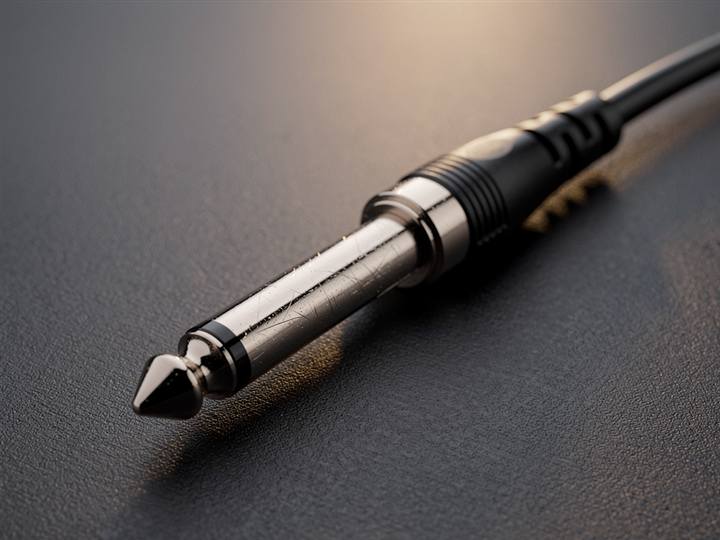
The simplest audio connector alive: one hot wire on the tip, ground on the sleeve. It's what plugs a guitar into an amp or a synth into a mixer. High-impedance instrument signals are tiny and fragile, which is why a long TS run in a room full of power supplies hums — there's no noise-cancelling trick here, just a shield and hope. Note that a TS instrument cable and a speaker cable can wear the same plug but are built differently inside. Using a thin instrument cable for a high-power speaker run can overheat it or stress the amplifier; using unshielded speaker cable for an instrument usually adds noise.
- Guitar or bass into an amp, pedalboard, or the INST input on an audio interface
- Synths and drum machines into a DJ mixer’s or console’s line inputs
- Patching effects pedals together (short patch TS cables)
TRS — tip-ring-sleeve
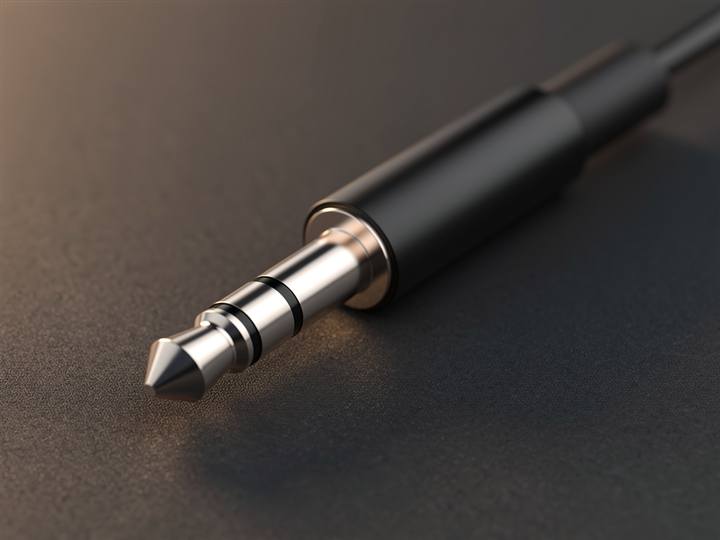
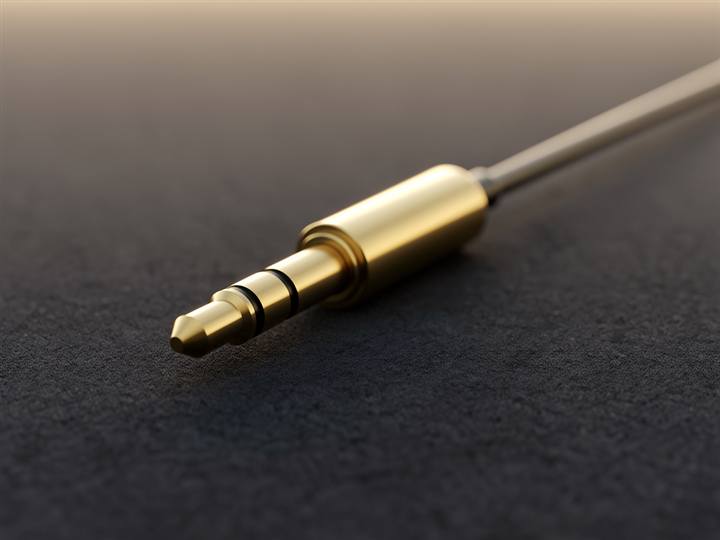
Add one ring and you get a third conductor — and here's the twist that confuses everyone: the same plug does two completely different jobs. In a studio, ¼″ TRS carries a balanced mono signal (hot / cold / ground) between interfaces, monitors, and mixers. In your pocket, 3.5 mm TRS carries unbalanced stereo (left / right / shared ground) to headphones. Same metal, opposite meaning — the gear on each end decides. A TRRS variant adds a fourth contact for a headset microphone, which is why old iPhone headphones have one extra black band on the plug.
- ¼″ TRS: audio interface outputs to powered studio monitors (balanced mono, one per speaker)
- 3.5 mm TRS: headphones, the aux input in a car, connecting a phone or laptop to powered speakers
- TRS “insert” cables on mixers: send and return on one plug
- TRRS: gaming headsets and inline-mic earbuds into a laptop combo jack
RCA — phono connector
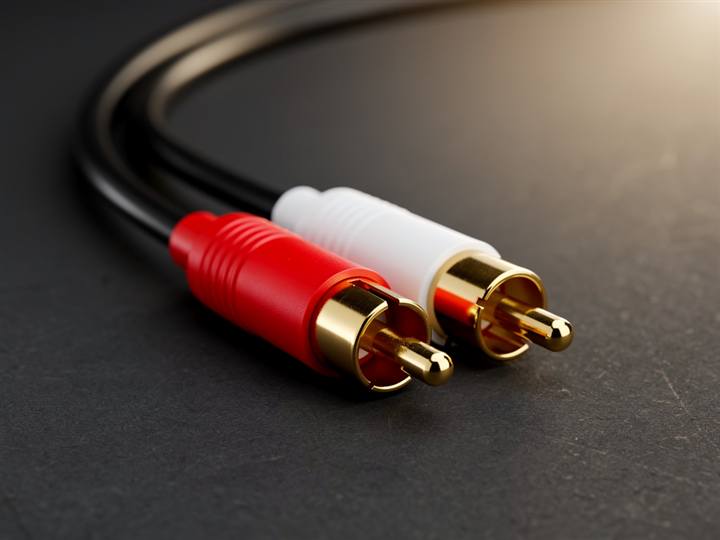
Electrically an RCA is a TS cable in a different suit: center pin signal, outer shell ground, unbalanced. Each plug is mono, so consumer stereo ships them in pairs — white/black for left, red for right. It's the standard for turntables, CD players, DJ mixers, and consumer line-level gear. One special case: a turntable's phono output over RCA is roughly 100× quieter than line level and needs RIAA equalization, so it must hit a phono preamp before anything else — plugging it into a line input gives you a whisper.
- Turntables into a DJ mixer (PHONO inputs) or a phono preamp
- CDJs and DJ media players into mixer LINE inputs — still the standard in every DJ booth
- Hi-fi separates: CD player, tape deck, or streamer into an amplifier
- A subwoofer’s single LFE input from an AV receiver
XLR
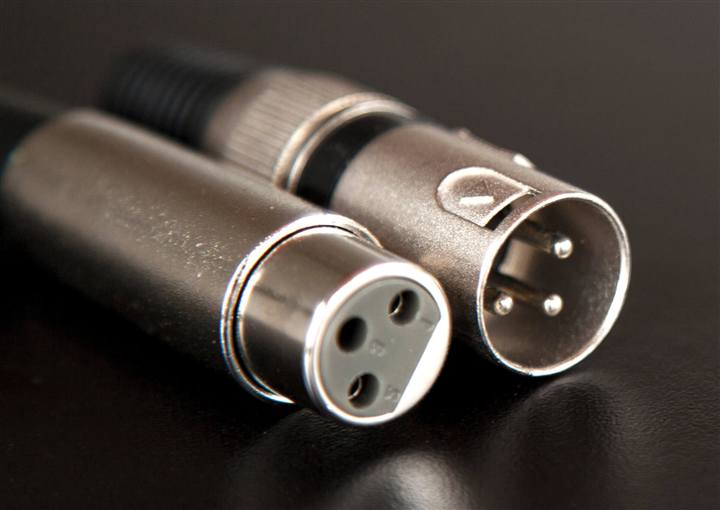
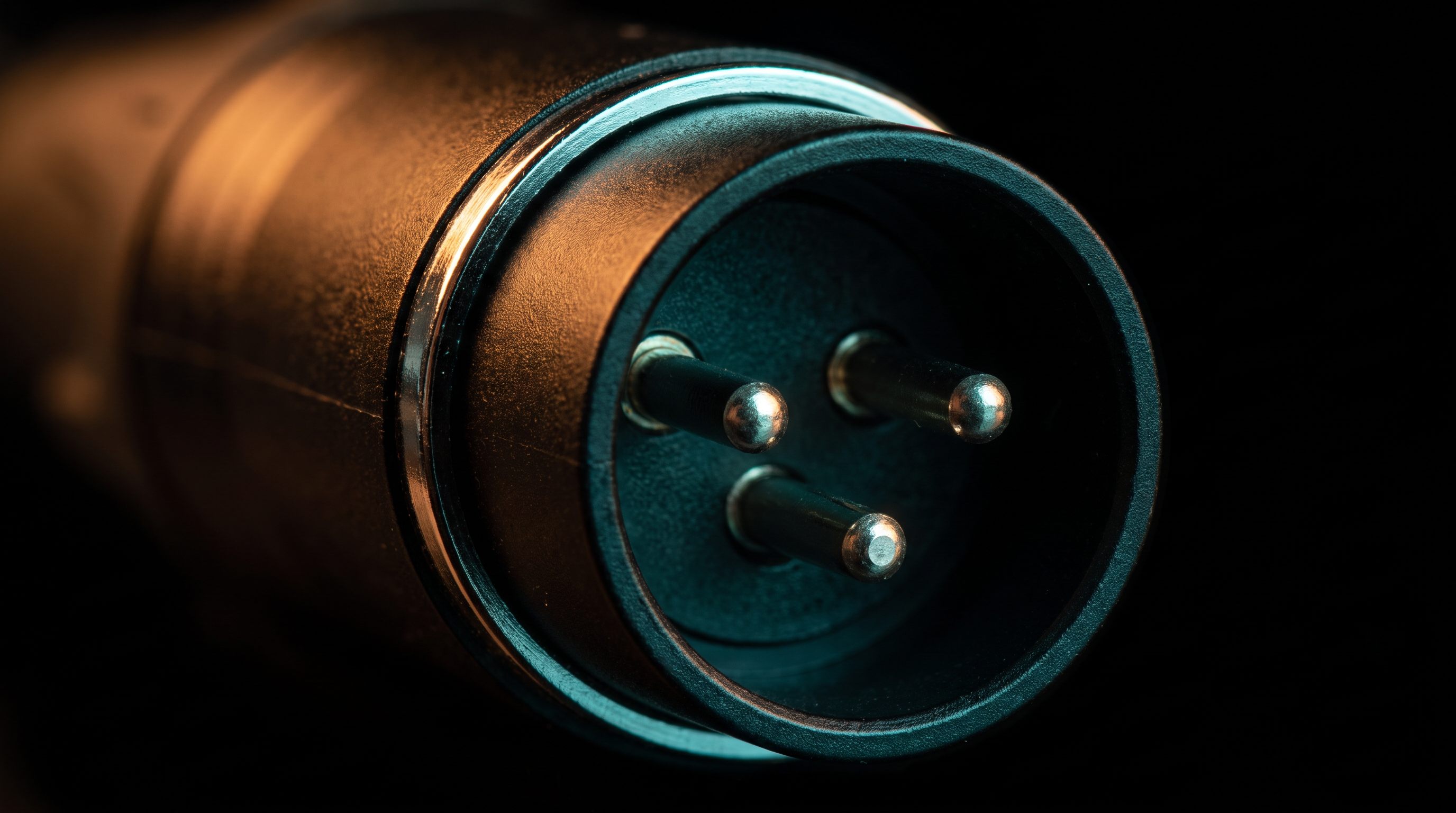
Three pins carry the balanced conductors, and the locking latch keeps the plug from being kicked out on stage. Many XLR designs also arrange protective ground contact safely during mating, though plugging live audio can still pop—lower or mute the channel first. XLR is how microphones reach preamps and how studio monitors take their feed. The same three wires can also deliver phantom power (+48 V) up the cable to run compatible condenser microphones. Electrically, a balanced XLR and a balanced ¼″ TRS line can carry the same kind of line signal; use the connection specified by the gear.
- Any microphone into a mixing console, audio interface, or stage box
- DJ controller or mixer booth/master outputs to powered PA speakers
- Daisy-chaining powered PA speakers across a stage
- Condenser mics that need +48 V phantom power from the preamp
Why balanced audio rejects noise
The receiver subtracts the cold conductor from the hot conductor. Because interference enters both conductors in the same direction, it disappears in the subtraction while the wanted signal survives.
The output keeps the waveform even while both cable conductors visibly carry interference.
Same connector, radically different level
Connectors describe contacts; they do not describe voltage, impedance, or power. A microphone puts out a few mV. Consumer hi-fi runs at −10 dBV, professional gear at +4 dBu — roughly four times hotter. A speaker connection carries tens of volts.
The bars below are ordered, not to scale: from microphone to speaker is about 83 dB, a span of four orders of magnitude that no linear bar can honestly draw — at true scale, mic level would be a line too thin to see. What the order does show is why a cable cannot substitute for a preamp, DI box, or power amplifier. Instrument level is the odd one out: its problem is impedance, not level.
Picture the signal as water in a pipe. Voltage is the pressure behind it — how hard the water is pushed, not how much arrives. Current, in amps, is the flow: how much water actually moves. Impedance, in ohms (Ω), is how much the pipe fights that flow — and because audio wiggles rather than runs steadily, the fight changes with how fast you wiggle it. That is why it is impedance and not simply resistance. Power, in watts, is pressure times flow: the work actually done at the far end.
Read the chain that way and it stops being mysterious. A microphone is a trickle at low pressure — almost no power at all. A preamp raises the pressure. Line level is decent pressure but still barely any flow, which is plenty, because the next box only has to read it. A power amplifier is the stage that finally adds volume of flow, and that is what moves a cone. Pressure first, flow second — and a cable supplies neither.
Impedance is the same picture from the other side. A guitar pickup is a very delicate pressure source: connect it to a pipe that is too wide and open, and the pressure drains away, taking the top end of the tone with it. A Hi-Z input is a deliberately narrow pipe that barely draws anything — which is why the same plug into the wrong input sounds dull rather than broken.
Decibels are not a quantity. They are a ratio wearing a number's clothes: a step means times something, never plus something — the way stops on a camera lens or points on the Richter scale work. Doubling the voltage is +6 dB whether you began at one millivolt or at ten volts. Ears need this. The quietest sound you can hear and the loudest you can bear sit about a trillion to one apart, and nobody wants to read thirteen digits.
A ratio needs something to be a ratio of. Altitude means nothing without a sea level, and a decibel means nothing without a reference — which is exactly what the trailing letter names. dBV takes 1 volt as its sea level. dBu takes 0.7746 volts, the voltage that puts one milliwatt into the old 600 Ω telephone standard. So −10 dBV and +4 dBu are two towns quoting their height from two different sea levels. They are 2.2 dB apart by definition, about 12 dB apart in practice — which is why consumer gear arrives quiet in a pro input, and pro gear arrives hot in a consumer one.
A microphone or turntable cartridge whispers. A preamp brings that whisper up to ordinary conversational line level. A power amplifier then turns the instructions into the physical force needed to move a speaker. A cable can carry any one of these jobs only if it is built for that job; it cannot supply the missing gain or power.
Why some speakers and headphones need an amp
A line-level signal is information, not power — think of power steering. Your hands on the wheel trace the exact path the car should take, but they don’t supply the force that turns the tires against the road; the power-steering system reads your motion and reproduces it with muscle drawn from the engine. A line output is the hands: it describes the waveform perfectly in volts at almost no current. A speaker driver is the tires — a motor shoving air, demanding real power into a 4–8 Ω load. The amplifier is the power steering: same motion, engine’s muscle, drawn from the wall instead of from the source.
Seeing a familiar wall outlet does not tell you its voltage, frequency or whether the circuit is live. Likewise, seeing RCA, XLR or USB-C does not tell you whether the port carries analog audio, digital data, power—or anything at all. The shape tells you what can plug in; the device specifications tell you what can happen next.
Digital cables
A digital cable carries a description of sound: the waveform measured, say, 44,100 times per second and written as numbers. When two cables both meet the required specification and deliver the bits without errors, a $9 optical cable and a $300 one produce the same audio data. What differs between digital standards is mainly bandwidth (how many channels, at what resolution), supported formats and direction (one-way stream vs. two-way conversation). The failure mode changes too: analog often degrades gradually into hiss and hum, while digital commonly works cleanly until errors become clicks, dropouts or silence.
Analog is like carrying the finished cake: heat, bumps and dust can alter the thing itself along the way. Digital is like carrying an exact numbered recipe. If every instruction arrives correctly, the destination can recreate the same result; if too many instructions go missing, you do not get a subtly “warmer” cake—you get an obvious failure. Digital bandwidth is the courier’s capacity: a bicycle can carry one envelope, while a truck can carry a full kitchen’s instructions at once.
S/PDIF — coaxial & optical (Toslink)
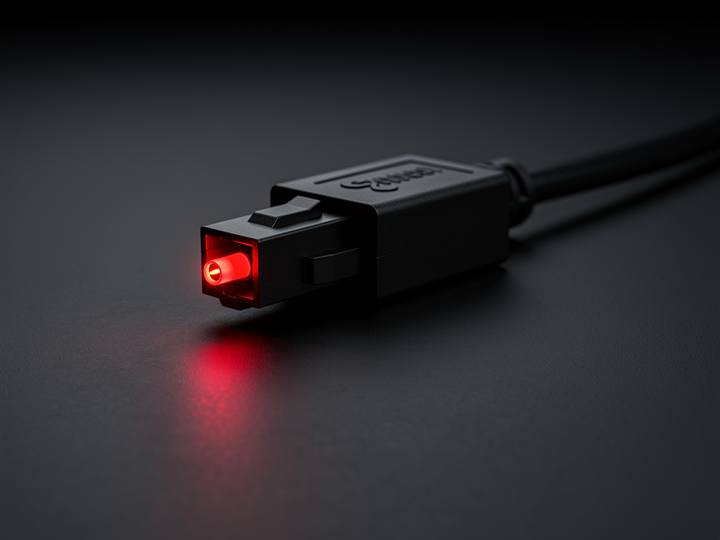
The original consumer digital link, in two physical flavors carrying the same data: coaxial uses an RCA plug and an electrical pulse; Toslink optical uses a square plastic connector and literal red light down a fiber. Optical's party trick is total electrical isolation — no ground loops, ever. Its limit is bandwidth: uncompressed stereo is fine, but surround sound only fits as compressed Dolby Digital/DTS, which is why older soundbars on optical top out at 5.1 and can't do Atmos. Lossless multichannel needed a bigger pipe — enter HDMI.
- Older soundbar or AV receiver fed from a TV’s optical output
- CD transport or game console into an external DAC
- Killing a stubborn ground-loop hum: optical’s electrical isolation breaks the loop
- Coax S/PDIF between DJ/studio gear that offers a digital out
HDMI ARC & eARC
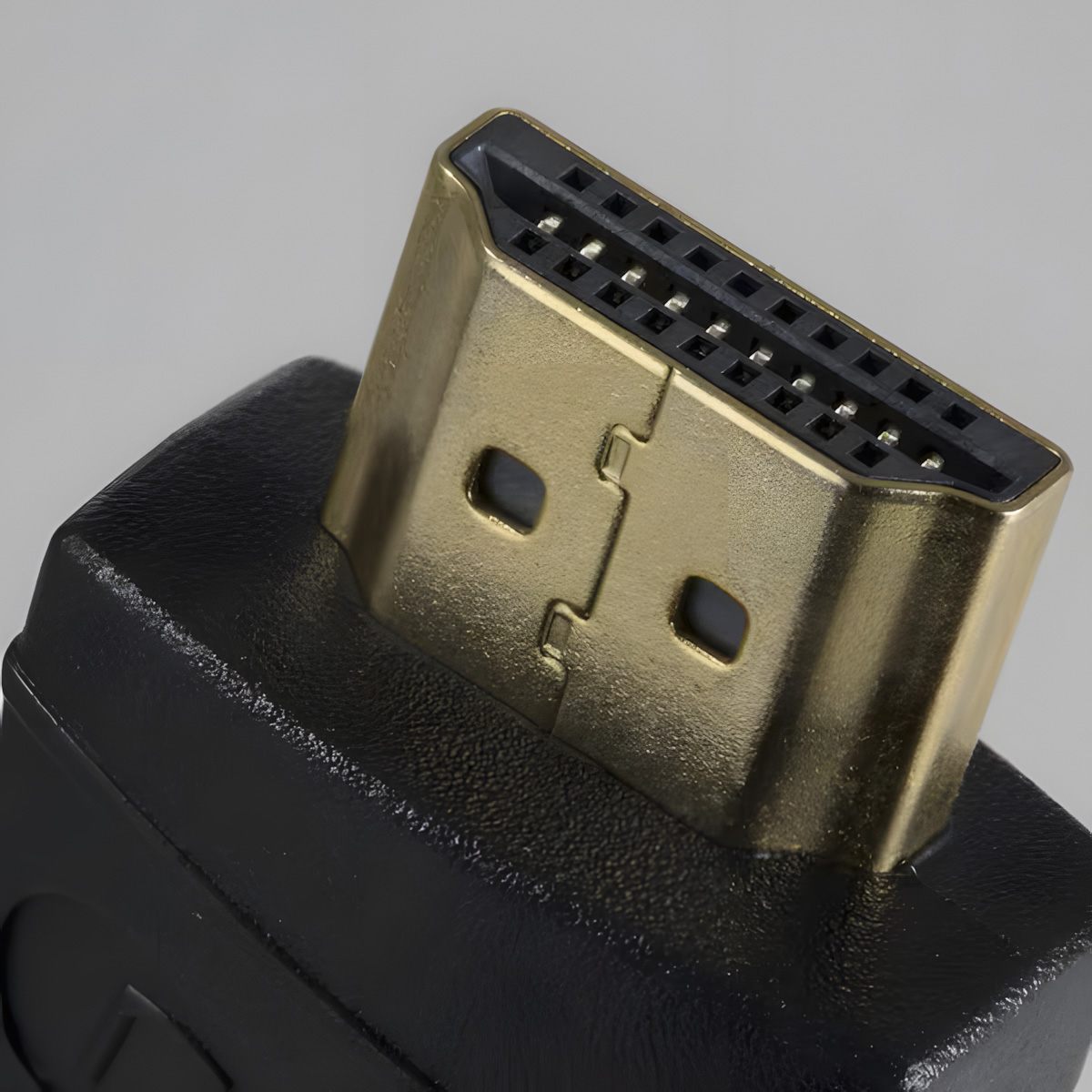
HDMI normally sends audio+video into a TV; ARC lets audio flow back out of the TV to a soundbar over the same cable — one wire, and the TV remote's volume keys can control the bar via CEC. ARC has roughly S/PDIF-class bandwidth, though compatible devices can carry Dolby Digital Plus and compressed Atmos. eARC widens the pipe dramatically to carry lossless formats including Dolby TrueHD, DTS:X and lossless Atmos. It was defined with HDMI 2.1, but also appears on some earlier HDMI implementations.
- Atmos soundbar or AV receiver on the TV port labeled eARC — one cable, TV remote controls volume
- Apple TV / console → TV → soundbar, with the TV passing audio back down the same HDMI
- ARC (non-e) for older soundbars: compressed 5.1 and, on compatible gear, DD+ Atmos
USB & USB-C
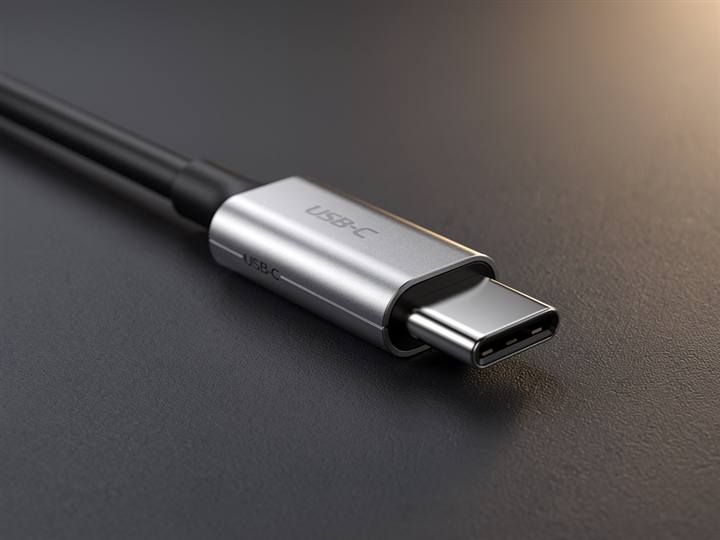
USB doesn't stream audio like the cables above — it moves data packets. A standard called USB Audio Class gives class-compliant interfaces and DACs broad driver-free support, although high channel counts, unusual sample rates and advanced routing may still require a manufacturer driver. Because USB is two-way and wide, one cable can carry many channels in and out simultaneously. USB-C adds a wrinkle: a passive C-to-3.5mm dongle works only when a device exposes analog audio, while an active dongle contains a tiny DAC. Two identical-looking dongles, different signals.
- Audio interfaces, podcast mics, and DJ controllers into a laptop — audio plus control on one cable
- A USB DAC/amp to drive hard-to-run headphones from a phone or computer
- Rekordbox/Serato DJ setups: the controller is both sound card and control surface over one USB
- Charging-port earbud dongles — active (with DAC) works everywhere, passive only on analog-capable phones
The professional & wireless edges
Pro digital mostly reuses plugs you already know. AES/EBU is S/PDIF's professional sibling running on XLR cable. ADAT pushes 8 channels through the same Toslink optical connector. Dante/AES67 sends hundreds of channels over ordinary Ethernet — a whole stage snake replaced by one network cable. And Bluetooth is a digital audio "cable" with the tightest pipe of all: audio must be lossy-compressed by a codec (SBC, AAC, aptX, LDAC) to fit, which is why wired always has a quality ceiling advantage, and why codec support matters more than the headline "Bluetooth 5.x" number.
- AES/EBU: broadcast studios and high-end converters over mic-style XLR cable
- ADAT: adding 8 more mic preamps to an interface over one optical cable
- Dante: festivals, install venues, and houses of worship — whole stages over Ethernet
- Bluetooth: commute headphones and portable speakers, where convenience beats the codec ceiling
Which digital formats fit?
The cable is only the pipe. Both devices must support the same format, and the television or source must be configured to output it.
| Connection | Stereo PCM | Multichannel PCM | Dolby Digital | DD+ / Atmos | TrueHD / Atmos |
|---|---|---|---|---|---|
| Optical S/PDIF | Yes | No | Yes | Usually no | No |
| HDMI ARC | Yes | Limited | Yes | Device-dependent | No |
| HDMI eARC | Yes | Yes | Yes | Yes | Yes |
| USB Audio | Yes | Yes | Usually transported as decoded PCM | ||
Capabilities vary by device. ARC can carry Dolby Digital Plus and compressed Atmos on compatible equipment. eARC was defined with HDMI 2.1 but is also implemented on some earlier HDMI hardware.
Six connection recipes
Guitar → audio interface → computer
Use the interface’s instrument/Hi-Z input, not a line input. For a long stage run, add a DI box near the guitar.
Condenser microphone → audio interface
Enable phantom power only after connecting a compatible microphone, with monitor volume lowered.
Computer → powered studio monitors
Use one balanced line for each speaker. This is cleaner and easier to control than splitting a headphone output.
Turntable → powered speakers
Skip the external preamp only if the turntable or speakers explicitly provide a PHONO stage.
TV → Atmos soundbar
Enable eARC and passthrough/bitstream in the TV. Optical cannot carry lossless TrueHD Atmos.
DJ controller → venue mixer
A line-level controller belongs on a line input; a microphone input only works if the mixer has enough pad or gain range.
It fits. Why doesn’t it work?
Confirm that both ports expect the same signal and that the source is routed to that output.
Mixed-end cables: what gets lost
A cable with different plugs on each end is doing one of three things — and they cost very different amounts. Rewiring (same signal, different socket) loses nothing. Downgrading (dropping a conductor) works, but permanently gives something up. Translating (analog ↔ digital, or format to format) is impossible with wire alone — it needs a powered box with a converter chip, and the box's quality and limits become part of your signal chain. If a passive adapter claims to translate, it doesn't work.
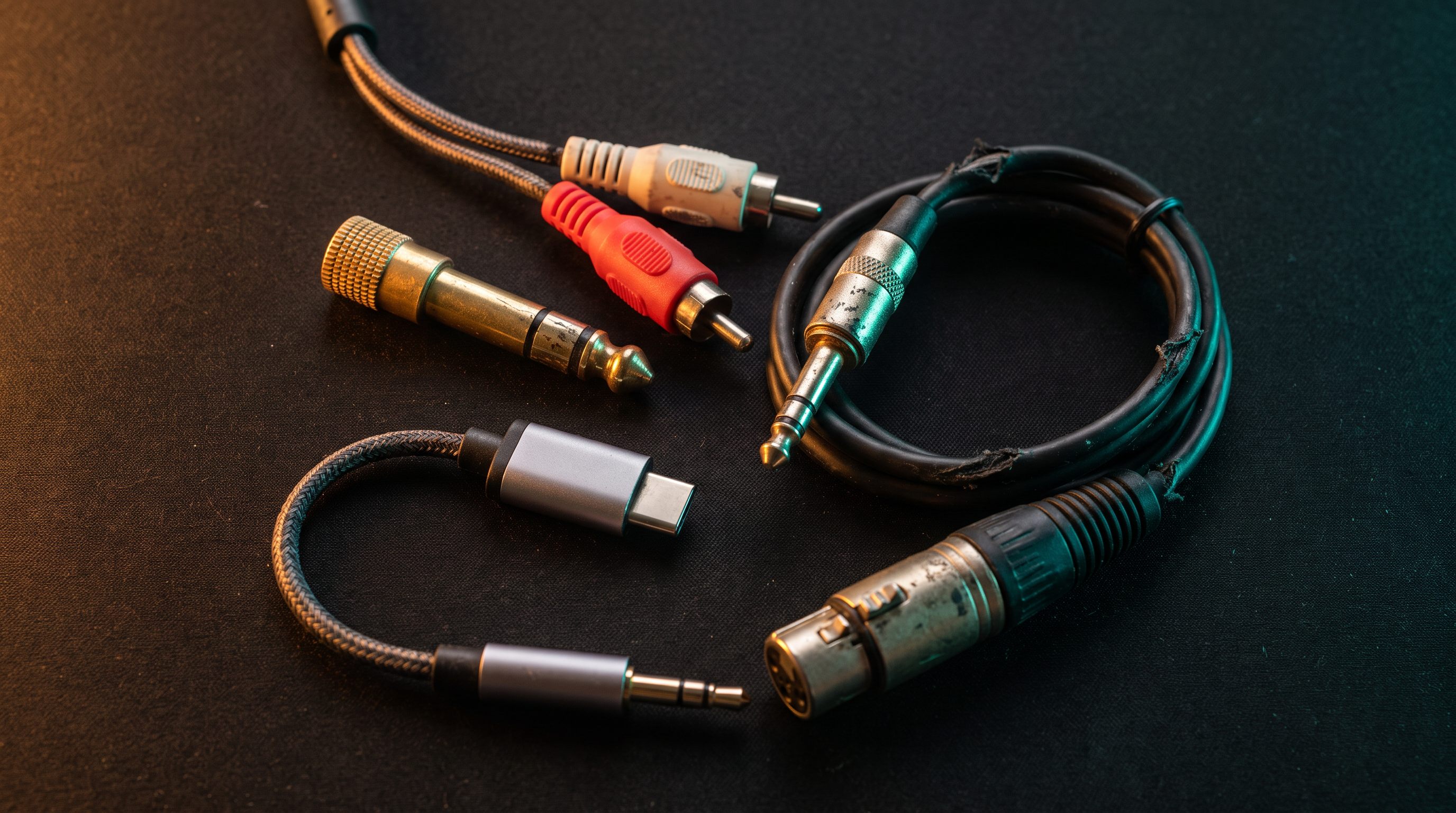
Each route links to a product search, not a recommendation — the useful part is which category you should be looking in. Three of these are not cables at all.
Same three balanced conductors mapped to a different plug: pin 2 → tip, pin 3 → ring, pin 1 → sleeve. Nothing lost — interfaces and monitors mix these freely.
Balanced XLR–TRS cable ↗The classic "phone to hi-fi" Y-cable. Both ends are unbalanced stereo; the Y just splits left and right onto separate plugs. Nothing lost.
3.5 mm–RCA Y-cable ↗Pure diameter change — the little screw-on headphone adapter. Same three contacts, bigger metal. Nothing lost.
Screw-on adapter ↗The most common real-world compromise: balanced gear into an unbalanced input. The noise-cancelling benefit is gone, so the audio may be fine over a short run but hum-prone across a stage. Whether level drops—and how the unused conductor should be wired—depends on the source output topology; check the equipment manual rather than assuming every balanced output behaves identically.
XLR–RCA cable ↗Plug a stereo source into a mono input and only the left channel (tip) survives — the right channel is either lost or shorted to ground, which can distort or strain the source. A proper summing cable with resistors merges L+R instead; a bare adapter just amputates.
Summing cable — not a bare adapter ↗Same plug, so no adapter needed — and that's the trap. A turntable's signal is ~100× too quiet and tonally tilted (RIAA curve). Nothing is "lost," but nothing works either until a phono preamp does the translation.
Phono preamp — the cable cannot do it ↗Bits to voltage requires a digital-to-analog converter — a wire physically cannot do it. The $15 boxes work, but the DAC chip's quality now sets your sound quality floor, and it only accepts stereo PCM: feed it Dolby Digital and you get silence or noise.
DAC box — the cable cannot do it ↗An extractor lets an old soundbar hear a modern TV, but the conversion drops to optical's bandwidth: lossless Atmos/TrueHD is re-encoded or discarded down to compressed 5.1. It works — at the smaller pipe's ceiling. Downconversion always inherits the narrowest link in the chain.
ARC audio extractor ↗The two-identical-dongles problem. A passive dongle is just wire and works only on devices that put analog on the port (rare now). An active dongle hides a whole DAC + headphone amp in the plug — that chip is now your phone's "sound card." Same looks, different universe.
Active DAC dongle ↗A generic cable can cross stereo vs. mono, line vs. mic level, balanced vs. unbalanced, and potentially phantom power. Purpose-built breakout cables can be valid for specific equipment, but they do not perform level conversion, isolation or phantom-power protection. For feeding a mixer mic input, use a suitable DI box or isolator and follow the device documentation.
DI box or isolator — not a cable ↗| Cable | Signal | Channels | Typical job |
|---|---|---|---|
| TS ¼″ | analog · unbalanced | 1 | Guitar / synth → amp or mixer |
| TRS ¼″ | analog · balanced | 1 | Interface → studio monitors |
| TRS 3.5 mm | analog · unbalanced | 2 | Headphones, aux-in |
| RCA (pair) | analog · unbalanced | 2 | Turntables, DJ & hi-fi gear |
| XLR | analog · balanced | 1 | Microphones, monitors, live sound |
| S/PDIF coax / optical | digital · one-way | 2 (or compressed 5.1) | TV / CD transport → DAC, older soundbars |
| HDMI eARC | digital · two-way | lossless 7.1.4 | TV → Atmos soundbar / AVR |
| USB / USB-C | digital · two-way | up to 32+ each way | Audio interfaces, DACs, controllers |
| Dante (Ethernet) | digital · networked | hundreds | Pro install & live audio |
The cable-buying checklist
Work through these in order. Connector shape comes only after signal compatibility.
Advanced: labels worth putting on your own cables
Label by function as well as plug: “MON L · BALANCED LINE,” “GUITAR · INSTRUMENT,” “AMP → SPEAKER,” or “TV eARC.” Two cables with identical ends can be electrically unsuitable for each other’s jobs.
Print note: Keep this checklist with the quick-reference table as a one-page purchasing and troubleshooting aid.