
2026 — 10 · Studio notes
How do I use AI
for music
production?
Lyrics first, MIDI second, Suno in the middle, Ableton at the end. This is how I work right now, shared in case it helps anyone exploring AI in their music: the loop, the prompt habits that have held up in my runs, and the settings I reach for at each stage.
AI does not make the record for me. It makes the boring parts fast, and the experiments cheap. The taste, the edit, and the decision to keep or bin a take are still mine.
I make tech house, melodic techno, circuit, afro, deep and progressive house, and Mandopop-EDM fusion. The mission is bringing Mandopop, especially Jay Chou, to Western dancefloors. Every track you hear from me went through some version of the loop below.
Everything here is from my own runs on Suno v6 as of October 2026. v6 is a brand-new model trained on licensed data, so a few rules I learned on v5.5 are flagged as carried over until I retest them.
I’m still figuring a lot of this out. These are notes from my own sessions, not rules, and the tools change every few months, so take what helps and leave the rest.
01 · The loop
Seven steps, four players
Tap a step. The colour tells you who is doing the work.
00 · Before everything: hear the finished track
Before I write a word or open Suno, I already know what the end track should sound like: the lane, the energy, the room it plays in. AI makes it free to chase a hundred directions, and that is how I used to get lost. A clear target turns every keep-or-bin call into a quick yes or no.
New idea mid-session? Save it in an ideas folder and come back after the planned song is finished.
02 · The style box
Front-load what matters
Suno weights the first words of the style box the most. Dense prose loses most of its cues; short fragments survive. So I build every style box as four layers, in this order, under 1,000 characters.
What has held up for me
- Negatives plant what they ban. "No tribal percussion" gave me congas. Describe the space positively instead: "crisp electronic drums, rolling synth percussion".
- Every instrument exclude needs a positive replacement. Piano bleed only went away when "synth-led, electronic textures only" sat in the style box alongside the exclude.
- Genre steers better with a constraint than a negative. What works for me: base genre, plus fusion, plus "but" and the constraint.
- No artist names. Suno strips them. Describe the sound the artist would bring.
- Word choice matters more than I expected. "Bouncy offbeat bass" is tech house. "Rolling bass" drifts to melodic techno. At 128 BPM, garage leads with "4x4 UK garage house"; speed garage lives at 135 to 140.
- Cinematic prose hasn’t worked for me. Intention statements tended to get ignored, or worse, sung.
This has been the biggest upgrade to my prompts so far. A line like built for a late-night club set, made to be mixed and danced to, not a headphone record settles mix density, energy curve and length in about 80 characters. When I wanted isolated drum one-shots, "sound check" kept producing full tracks. "A drum lesson for children" worked, because in that setting accompaniment would be wrong.
- Checks run as you type, against the notes above. Nothing leaves your browser.
03 · The lyrics box
Sung or steered?
On v6 the lyrics box is the strongest style control I have. Bracket tags carry the form, and short notes on their own lines steer texture, density and transitions more precisely than the style box. The catch: anything that looks like a lyric gets sung. Guess each one, then tap to check.
What else works
- A framing block up top. Three or four short parenthetical lines above the first tag. Notes that justify a constraint beat notes that just request it.
- Dense notes. A short note under every tag and between lines. More has worked better than fewer.
- A delayed vocal comes from
[Instrumental Intro]and stacked[Build]tags, with "instrumental intro" in the style box too. - Chopped hooks as space-separated syllables:
go o o o o, never hyphens. - Spelling for pronunciation. "EV-uh-nium" stops my own name from drifting.
- Rap and instrumental sections are 4, 8 or 16 bars. Never 6. Sung sections follow the source song's phrasing.
Mandarin tracks
- One character is one syllable. At 128 BPM about ten characters fill a bar, so line count equals bar count.
- Write numbers as characters. One digit or one Latin word can flip the whole vocal to English.
- For covers, use pinyin with tone marks, and reuse the lyrics Suno already accepted on the source clip. Fresh pastes hit copyright blocks.
- Stop rap drifting into melody with positive wording: "rhythmic spoken rap in a low narrow one-note range, hard clipped consonants, no sustained vowels".
- Tone flattening is the failure mode. Every keeper gets checked by Chinese ears.
04 · My lyrics template
Production notes, line by line
This is the sheet I start every lane from. Fill the {slots}, keep every (note) on its own line, and never put a note after a lyric on the same line.
Notes that earned their place in real sheets:
(close and dry)
(bass in, more bounce)
(cut the beat)
(one bar of pads only, no drums)
(each written line occupies two bars)
(every line resolves to an -ao rhyme)
(drums out completely for the last two lines)
I keep the full lyric in every lane and change the delivery instead: (spoken) verses for tech house and techno, a voice-memo close for UK house, chopped-hook instrumental drops for garage.
05 · Favourite style boxes
The style boxes I reach for
My go-to lanes, shared as I use them. In my own runs I swap [VOCAL] for the vocal line ("smooth male Mandarin vocal", "male and female duet") and set the BPM and key to fit the song.
The Exclude Styles line I use for all of them:
autotune, reverb wash, fadeout, double vocals, acoustic piano, saxophone solo, tom fill, crash cymbal
06 · Template kit
The sheets I keep reusing
Plain-text templates for the parts around the prompt: the brief before I start, the note for a stray idea, the lyric polish, the MIDI ask, the instrumental sheet for stitching, the track sheet and the Ableton setup. I fill the {slots} for each track, and they are easy to adapt to other ways of working.
Small habits that help
- Stuck on a lyric, I ask for options, not the answer. AI gives me five or six versions of the line I can’t crack, and I often end up writing a better line than any of them, because the options get you unstuck and give you something to push against.
- A run log. One line per Create in the track sheet: lane, setting, clip title, keep or bin and why. After a few songs it shows which settings actually work for each lane.
- One naming pattern for every clip. <song> · <lane> · <setting>. A sweep of twenty clips stays searchable.
- A check against my last release. When a take feels right, I play it next to my last finished single at the same level before I keep it.
- A fresh brief after repeated misses. Several takes in a row that miss usually means the target is fuzzy, not that the prompt is broken.
07 · Settings by stage
Settings that move with the stage
v6 added a Variety slider, and at its default, take-to-take randomness can be bigger than the prompt change you are testing. So my settings move with the stage. Tap one to see where I set them.
The sweep I actually ran across hundreds of covers: four settings per lane, two clips each. 50% Style Influence at Normal Variety, 70% Exact, 90% Exact, and 90% Normal with Max Mode. Raise Style Influence first whenever a precise style comes back generic.
08 · Iterating
A numbers game with rules
Four Studio moves I use more than any prompt trick
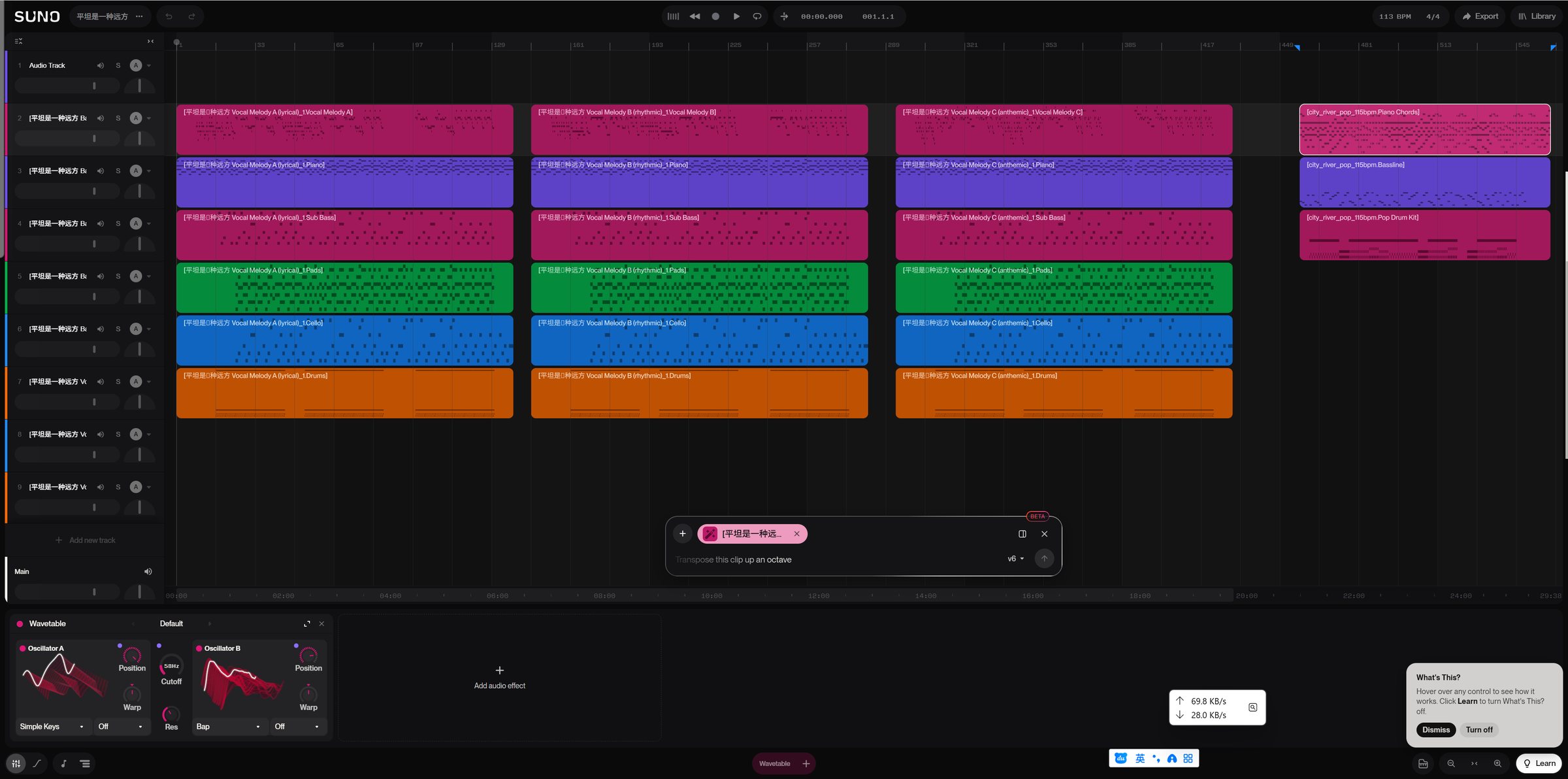
- Build-ups and drops from instrument-only tracks. I generate instrumental-only takes for the builds and the drops, then stitch them together in Suno Studio with my vocal segments. I decide where the tension rises and exactly where the drop hits, instead of hoping one prompt lands it.
- Regenerating before rewriting. When a Studio output is close, I run a few regenerations on it rather than reworking the prompt. A good arrangement plus a few rolls of the dice has usually beaten a new prompt for me.
- A new vocal style for a cover: reference the lead vocal stem, not the whole song. I separate the stems and give the cover only the lead vocal as its reference track. The melody and phrasing carry over, and the band, groove and production are free to become something else entirely.
- The flip side: a new vocal melody over the same track. When I like the production but not the topline, I take the stems without the lead vocal and use them as the reference to generate full songs with my lyrics. The track stays; Suno writes a fresh melody.
And the habits underneath
- One change per revision, two generations per change. Anything else and I cannot tell the prompt from the dice.
- Extra regens for the hard moments. A fake-out double build landed about one take in four or five, however I phrased it.
- Fixing often beats regenerating. Section edit for one bad section, lyric edit for one bad word, restating the subgenre and vocal gender each time.
- Length: Custom duration first, then Extend. Bar counts in a prompt are soft hints.
- Muffled vocal? I strip the style to "clear vocals, minimal production", get a clean take, then Cover it with the full prompt.
- My own work as the reference. My released singles are the audio reference for a lane. Never the commercial master of a song I am covering.
- Stems come with the master. They count as the same download.
09 · Finishing in Ableton
The DAW is where it becomes a record
- No fade-outs. Every track has to be DJ-mixable, so it ends on a clean phrase.
- Silence is edited in. Suno rarely holds true dead air.
- Pitch-shift one semitone at most, with formants preserved.
- Release vocals are mine: an ElevenLabs model trained on my own voice replaces the guide.
- Fresher entrances. I try to steer away from tom fills and crash cymbals into the drop.
- Master to -1 dBTP true peak before the final polish pass.
Demo · listen
Hear the difference
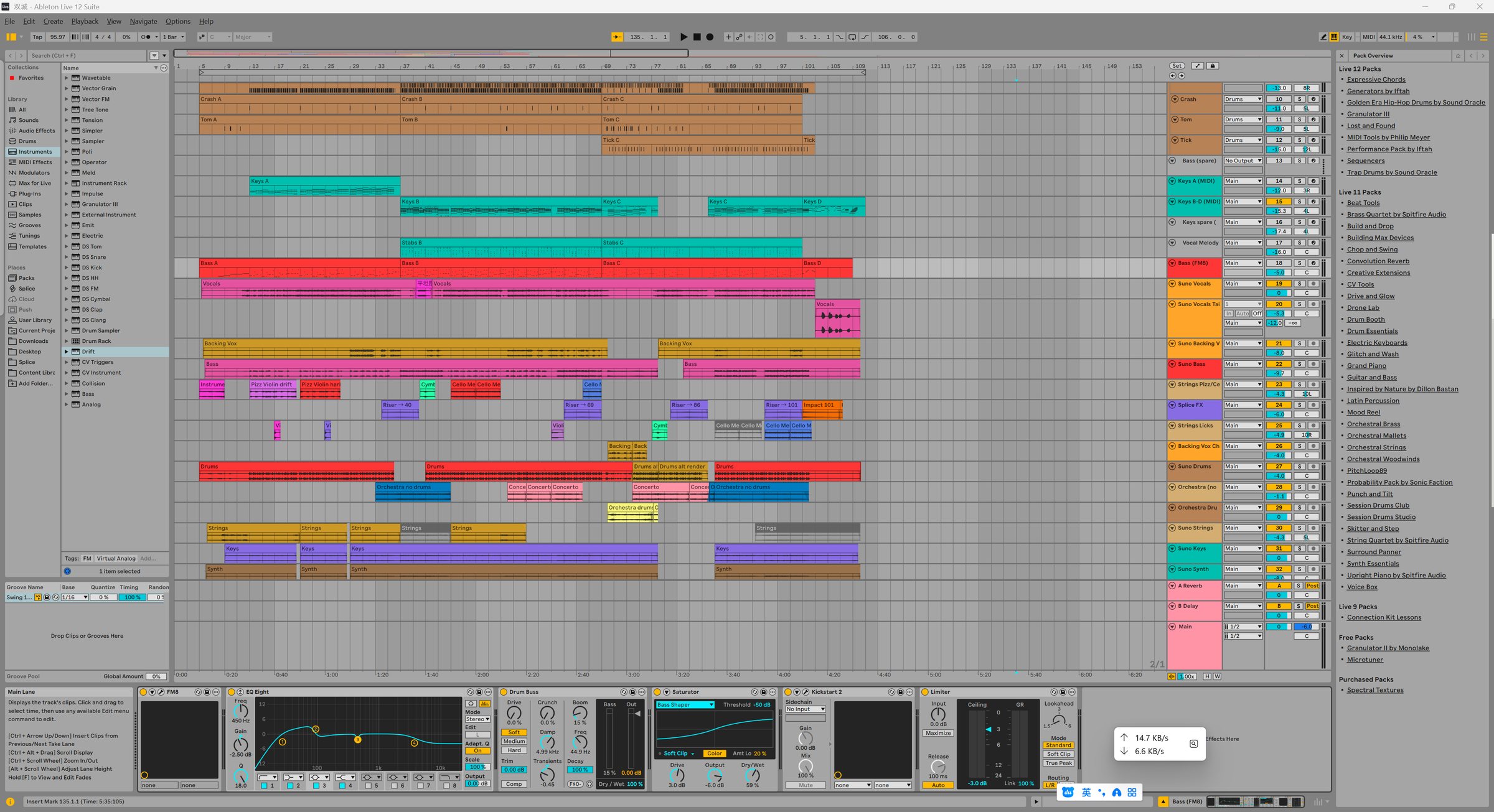
One track, 双城, at two points in the loop (it’s the session in the screenshot above). The first two players are what Suno gave me: the full song, then the instrumental only, so you can hear what is underneath. The last is my mix after Ableton, before the final mastering pass, so it sits quieter. The players are level-matched so you hear the change, not the volume.
Before Ableton · Suno output
Instrumental only · Suno output
After Ableton · my mix
I separate stems for every track, instrumental-only versions included. What hasn’t held up for me is the non-standard 12-stem separation, when all I need is one specific instrument like the hi-hats or a violin: the results aren’t stable. So I skip those and write that part myself as MIDI in the DAW, on an instrument from Kontakt or a synth in Serum.
The local AI tools that make it fast
Claude drives Ableton and my synths through local MCP servers, so building a starter set, programming a drum intro or designing a bass takes a sentence instead of an hour. They all live in one project-level config, so they load together and stay out of everything else.
Learned the hard way
- The Producer Pal device has to be loaded in the open set first. "Cannot connect to Ableton Live" almost always means it is missing.
- One device per call. Four compressors with sidechain settings in one call crashed Live.
- Notes at the same pitch and start get dropped. Anything over 2,000 notes works better split into several clips.
- I save the set before closing Live, after losing one this way.
10 · Covers and copyright
Faithful words, wild production
A cover stays licensable only while it is recognisably the original song. So the melody and lyrics stay faithful, and all the creativity goes into the production.
- No disguised copyrighted lyrics to slip past a filter. When a lyric is blocked, I write original lines that match its syllables and rhyme.
- The melody stays close. Big melodic changes, or added rap verses, take a cover outside compulsory licensing.
- Covers are licensed as covers through the distributor, even when the title says "Remix".
- Releases come from a paid Suno plan. Free-tier songs carry no commercial rights.
- I log in myself. Credentials never go to a tool or an assistant.
11 · Pre-flight
Before every Create
The checklist I run before I spend a credit. Ticks are saved in this browser.
The takeaway
Use AI to speed up your music production. Just don’t let it replace or govern your taste.
At the end of the day, what sets your AI music apart is the style you choose and your taste in music.
The tools change every few months. So far this loop has held up for me: know the sound I’m chasing, sketch it, generate wide, keep only what moves me, finish by hand. If you work differently, I’d genuinely love to hear how.
I’m sharing this to help anyone exploring AI in music. If something works differently for you, I’d genuinely love to hear it.
← All articles